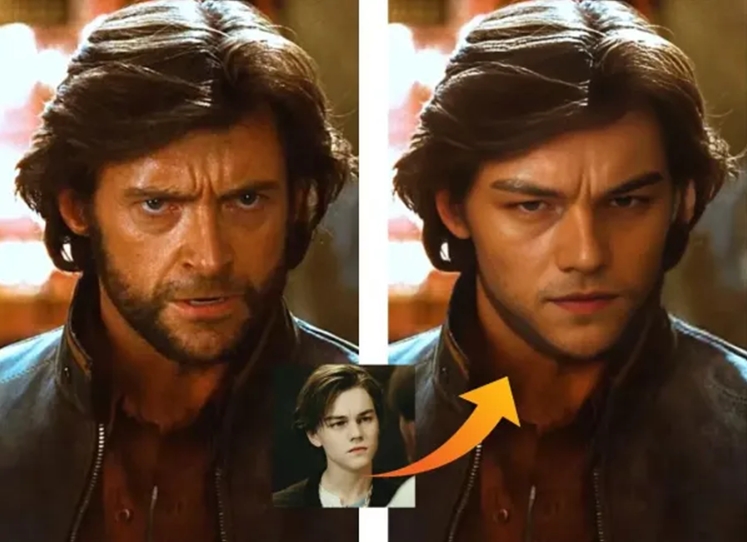
Face swap used to be a gimmick—something you tried once, laughed at, and forgot. But in 2026, it’s turned into a real creator tool. Not because everyone suddenly wants deepfakes, but because short-form content moves fast, and playful, personalized edits can stop the scroll.
Here’s the simple workflow creators actually use:
- Photo face swap to nail the thumbnail, meme, or cover image
- Video face swap to turn the same idea into a clip people share
When both steps are quick, web-based, and easy to repeat, you can go from “idea” to “post” without the usual editing headache.
Free Photo Face Swap: Fast, Fun, and Surprisingly Clean
A photo face swap tool is only as good as its realism. The best ones don’t just slap a face on top—they match:
- Lighting and skin tone
- Face angle and expression
- Edges around hair, glasses, hats, and shadows
That’s why creators who want quick, believable results often use Free photo Face Swap for an upload-and-swap workflow that doesn’t require any technical setup.
Photo Face Swap Competitor Comparison
What matters in real life: speed + believability. If it looks “good enough” in one or two tries, creators keep using it. If it takes five attempts, they bounce.
Video Face Swap: Where Ideas Turn Into Shareable Content
Video is where face swap becomes content, not just a trick. A good video swap needs stable tracking across frames—no flicker, no drifting face shape, no weird jumps when the subject turns their head.
Creators use video face swap for:
- Comedy skits and parodies
- Reaction videos and meme remixes
- Creator challenges and trend formats
- Marketing hooks (playful variants of a campaign)
A straightforward way to do this is
Video Face Swap—ideal when you want to upload a clip, swap faces, and export without diving into complicated settings.
Video Face Swap Competitor Comparison
What matters most: stability. Creators don’t need Hollywood-level perfection—they need something that looks consistent enough to post confidently.
The “Creator Loop” That Makes This Workflow Stick
The reason photo + video face swap works so well together is that it supports a repeatable loop:
- Make the photo first (thumbnail, meme, cover)
- Turn it into a video (same joke, better reach)
- Post, learn what hits, iterate quickly
This is how creators keep momentum. It’s not about making one perfect edit—it’s about producing enough variations to find what actually performs.
A Quick Note on Responsible Use
Face swap can be fun and creative, but it should never be used to impersonate people, spread misinformation, or create non-consensual content. The best use cases are clearly playful: satire, storytelling, memes, and creative experiments where the intent is obvious.
Final Thoughts
In 2026, face swap is less about “look what AI can do” and more about speedy creativity. Photo swaps help you craft attention-grabbing visuals in seconds. Video swaps turn the same concept into content that travels further and hits harder.
If you want a workflow that’s fast, repeatable, and genuinely fun, this photo + video combo is one of the easiest ways to upgrade what you publish—without upgrading your stress.
Media Contact
Company Name: Privacy Proxy
Email: Send Email
Country: United States
Website: https://beart.ai/face-swap/