Running a restaurant comes with constant challenges. Slow service, order errors, and staff pressure can quickly affect customer experience and sales.
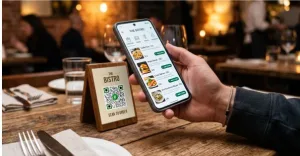
Table-side ordering systems allow customers or staff to place orders directly at the table using mobile apps, QR codes, tablets, or handheld POS devices. This setup speeds service, cuts order errors, and boosts average check size.
This article highlights five table-side ordering software that help restaurants speed up service, reduce mistakes, and improve overall operations.
What is a table-side ordering system?
A table-side ordering system is a digital solution that lets orders be placed directly at the table using technology.
Customers can scan a QR code, use a restaurant tablet menu for ordering, or have staff take orders on handheld POS devices.
Through these devices, orders are sent instantly to the kitchen or POS system, reducing delays and improving accuracy.
Why restaurants are switching to digital ordering
It’s important to understand why restaurants are making the shift.
Here are the key benefits:
1. Faster service
Orders go directly to the kitchen, reducing delays and increasing capacity. With table-side ordering systems, restaurants report 20–25% faster service times, allowing them to serve more customers during peak hours (PMarket Research, 2026).
2. Higher average order value
Digital menus naturally encourage upselling through add-ons, upgrades, and combo suggestions.
This leads to customers spending more per order, with digital ordering increasing average order value by up to 18–25% (Foodini, n.d.).
3. Fewer order errors
Automated systems reduce miscommunication between staff and kitchen by sending orders directly and clearly, helping improve accuracy and consistency in service.
4. Lower labor pressure
Staff are less burdened with constant back-and-forth trips, allowing them to focus more on guest service and overall restaurant operations.
5. Better customer experience
Guests can order at their own pace without waiting or pressure, creating a smoother dining experience.
This aligns with consumer behavior, as around 60% of diners prefer using technology to order and pay (Emergen Research, 2025), showing strong acceptance of digital systems in modern dining.
How to choose the right ordering system
When choosing the right ordering system, there are several aspects to consider:
-
Order accuracy flow
Check if the system clearly displays order details before sending them to the kitchen to minimize errors. Also consider how the kitchen display organizes incoming orders such as by time, table number, or priority to support a smoother workflow.
-
Menu navigation
Evaluate how easy it is to browse categories, customize items, and apply modifiers or special requests. The system should allow staff or customers to place orders quickly and efficiently with minimal steps.
-
Error correction process
Assess how simple it is to edit, cancel, or update orders after they have been submitted to the kitchen without disrupting service flow.
-
Device compatibility
Ensure the system works seamlessly across multiple devices such as tablets, handheld POS devices, and customer smartphones for flexible operations.
-
Digital wallet integration
Choose a system that supports digital wallet payments and integrates with card readers and other payment tools. This helps provide a smooth, complete, and flexible payment experience for customers.
Comparing popular table-side ordering systems
Below are five platforms that support table-side ordering, from simple QR tools to full POS systems.
| System | Type | Table-Side Ordering Method | Key Strengths | Limitations |
| Toast POS | Full-service POS | Staff handheld POS devices | Strong all-in-one system, real-time kitchen updates, handles complex orders, supports tableside payments | Can be complex and more expensive |
| Square | POS system | Staff handheld POS devices | Easy to use, quick setup, strong payment system, supports tableside ordering | Less advanced features than enterprise systems |
| Lightspeed | Cloud POS system | Tablet-based staff ordering | Good for growing restaurants, strong reporting, supports multiple locations | More setup needed, slightly complex |
| GloriaFood | Online ordering system | Customer QR code self-ordering | Very simple setup, low cost, good for small restaurants | Basic features only |
| MenuTiger | QR ordering system | Customer QR code self-ordering | Simple QR ordering, easy menu updates, reduces staff workload | Not a full POS system |
Toast POS
Toast is widely recognized as a full-service restaurant POS system with strong table-side ordering capabilities integrated into its overall platform.
- Strong handheld POS ecosystem for staff ordering
- Real-time kitchen syncing through integrated KDS
- Designed for full-service and high-complexity restaurant workflows
- Supports modifiers, seating arrangements, split billing, and tableside payments
- Combines hardware and software into a tightly integrated system
Toast is often positioned among the most complete restaurant management platforms due to its operational depth.
-
Square for restaurants
Square is a widely used POS system known for ease of use and accessibility, with table-side ordering supported through handheld devices.
- Handheld ordering for staff at tables
- Fast order transmission to kitchen or bar
- Integrated payment processing including tableside payments
- Simple interface suited for quick staff adoption
Square supports table-side ordering, but its restaurant management depth is generally simpler than more specialized systems
-
Lightspeed Restaurant
Lightspeed is a cloud-based POS system focused on scalability, analytics, and multi-location restaurant management.
Key features:
- Tablet-based table-side ordering for staff
- Real-time order syncing with kitchen and bar stations
- Supports menu customization and order modifications
- Strong reporting and inventory management features
- Includes integrated digital payment processing
- Typically requires more setup and configuration than simpler POS systems
Lightspeed is feature-rich, but its complexity depends on configuration and restaurant size.
-
MENU TIGER
MENU TIGER is a QR-based digital ordering system designed primarily for customer self-ordering in restaurants.
Key features:
- QR code ordering from customer smartphones at the table
- Orders transmitted directly to kitchen systems
- Real-time digital menu updates
- Reduces need for staff-assisted ordering
- Supports online and digital payments through integrated gateways
MENU TIGER is best categorized as a QR ordering platform, not a full restaurant POS system.
-
GloriaFood
GloriaFood is an online ordering platform that includes basic QR-based dine-in ordering features.
Key features:
- QR code ordering for dine-in customers
- Basic order forwarding to kitchen systems or printers
- Simple menu management tools
- Lightweight setup suitable for small restaurants
- Limited advanced POS or table-side workflow features
- Includes online payment integration through third-party gateways
GloriaFood is primarily an online ordering system with basic dine-in functionality rather than a full POS platform.
Real-world application of digital menu ordering
To better understand how these restaurant tabletop ordering systems work in practice, here are real-world use cases across different restaurants:
Starbucks mobile app ordering
Starbucks is a leading example of mobile-first ordering in the restaurant industry.
They allow customers to place orders through the mobile app, which are sent directly to staff. This reduces wait times and improves order flow.
McDonald’s QR code ordering
McDonald’s has implemented QR code ordering in select locations, especially in Asia and Europe.
Customers scan QR codes at tables, view the menu on their phones, and send orders directly to the kitchen or POS system.
Chili’s Grill & Bar’s ziosk tablet
Chili’s is one of the most well-known and widely documented restaurants that use a restaurant tablet ordering system at nearly every table.
They provided each table with a Ziosk tablet where guests can browse, order, request refills, and pay without waiting for staff.
Applebee’s handheld POS
Applebee is a major casual dining chain that uses handheld POS devices in particular locations for tableside ordering and payment.
Servers use handheld devices to take orders and process payments at the table, improving speed and accuracy.
Final takeaway
Table-side ordering systems are transforming how restaurants operate by making ordering faster, more accurate, and more convenient for both staff and customers.
With options ranging from QR-based tools to full POS systems, restaurants of all sizes can find a solution that fits their needs.
In a fast-moving industry, adopting the right system isn’t just an upgrade; it’s a step toward staying competitive and delivering a better dining experience.